Audio Trigger Lite
How it works
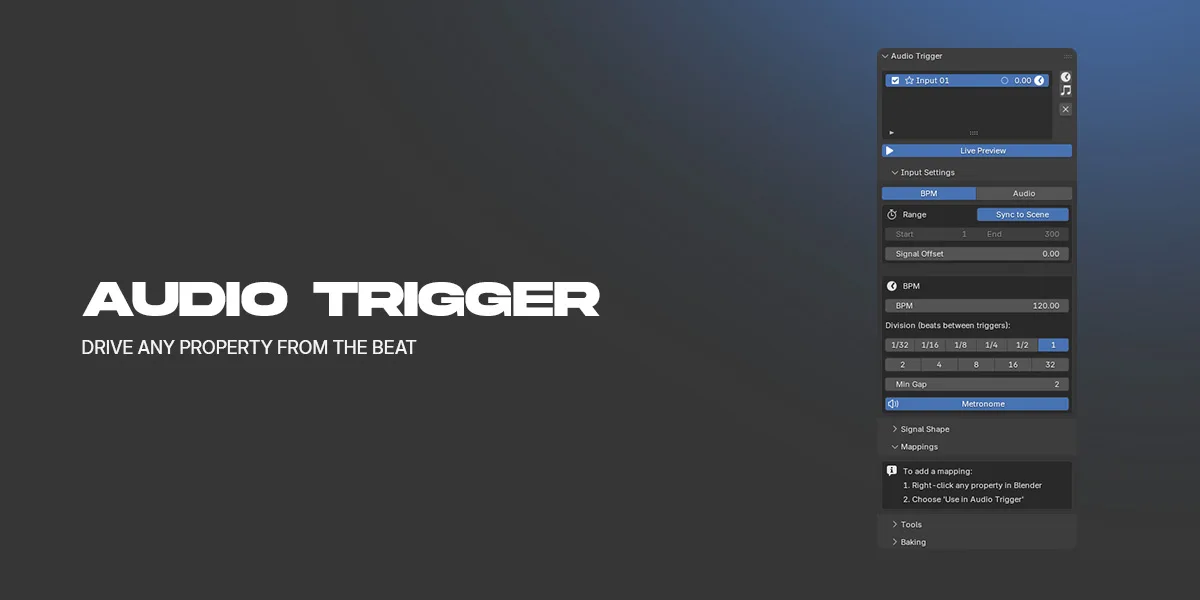
-Add a BPM input and set the tempo and the beat division. A metronome click plays in the Video Sequencer so you can hear the grid.
-Right-click any property in Blender and choose Use in Audio Trigger.
-Set a Min and a Max. The property sits at Min and reaches Max on every beat.
The beat grid
-Tempo from 1 to 999 BPM.
-Beat division from 1/32 up to 32 beats between triggers.
-A metronome click track you can switch off.
-Minimum gap in frames, to reject triggers that land too close together.
-Signal offset, to nudge the grid against the timeline.
-Start and end frame per input, or sync to the scene frame range.
-Several inputs in one scene, each with its own tempo, with mute and solo.
Shaping the signal
Attack and release shape the rise and fall around each beat.
Probability and seed thin the pattern out for a looser feel.
Mapping to properties
Right-click works on object transforms, light energy, material and geometry node sockets, cameras, worlds, node groups, and scene properties.
A Min and a Max per mapping.
Uniform drives every axis of a vector from one mapping, for example all three scale axes.
A per-mapping offset, in frames or in beats.
Per-mapping overrides for the envelope, for probability and seed, and for rate, from a quarter of the input triggers up to four times as many.
Mappings can be renamed, pinned, disabled, and filtered down to the selected objects.
Many objects at once
Copy a mapping 1:1 onto every selected object.
Copy from the active object with a per-object frame or beat offset, for cascades and waves across an array.
Place timeline markers on the beat, and clear them again.
Baking
Live preview updates the scene as you scrub.
Bake the selected objects or the whole scene to keyframes.
Sparse baking writes keys only where the signal changes. Dense baking writes one key per frame.
Location
View 3D > Sidebar > Audio Trigger Lite
Notes
-Blender 4.2 or later.
-Self-contained. Nothing is downloaded and no internet connection is used.
-The metronome writes a temporary WAV file and adds a sound strip to the Video Sequencer. Both can be removed again from --the panel.
-Turn Live Preview off before playing back baked animation.